
Join Instructions
Java IP: dogemc.co.za
Bedrock IP: mc.dogemc.co.za
Bedrock Port: 26000
Java Edition
1. Open Minecraft Java Edition.
2. Click “Multiplayer” → “Add Server”.
3. Enter the server IP: dogemc.co.za
4. Save & Join!
Console (Bedrock)
1. Open Minecraft on your console (Xbox, PlayStation, Switch).
2. Add SuperDogeBoi as an Xbox Live friend.
3. Once added, join the server directly from their profile.
Bedrock Edition
1. Open Minecraft Bedrock Edition (Windows or Mobile).
2. Click “Play” → “Servers” → “Add Server”.
3. Enter the server IP : mc.dogemc.co.za
4. Enter the port : 26000
5. Save & Join!
General Questions regarding Gameplay
Do I need to be a certain age to play?
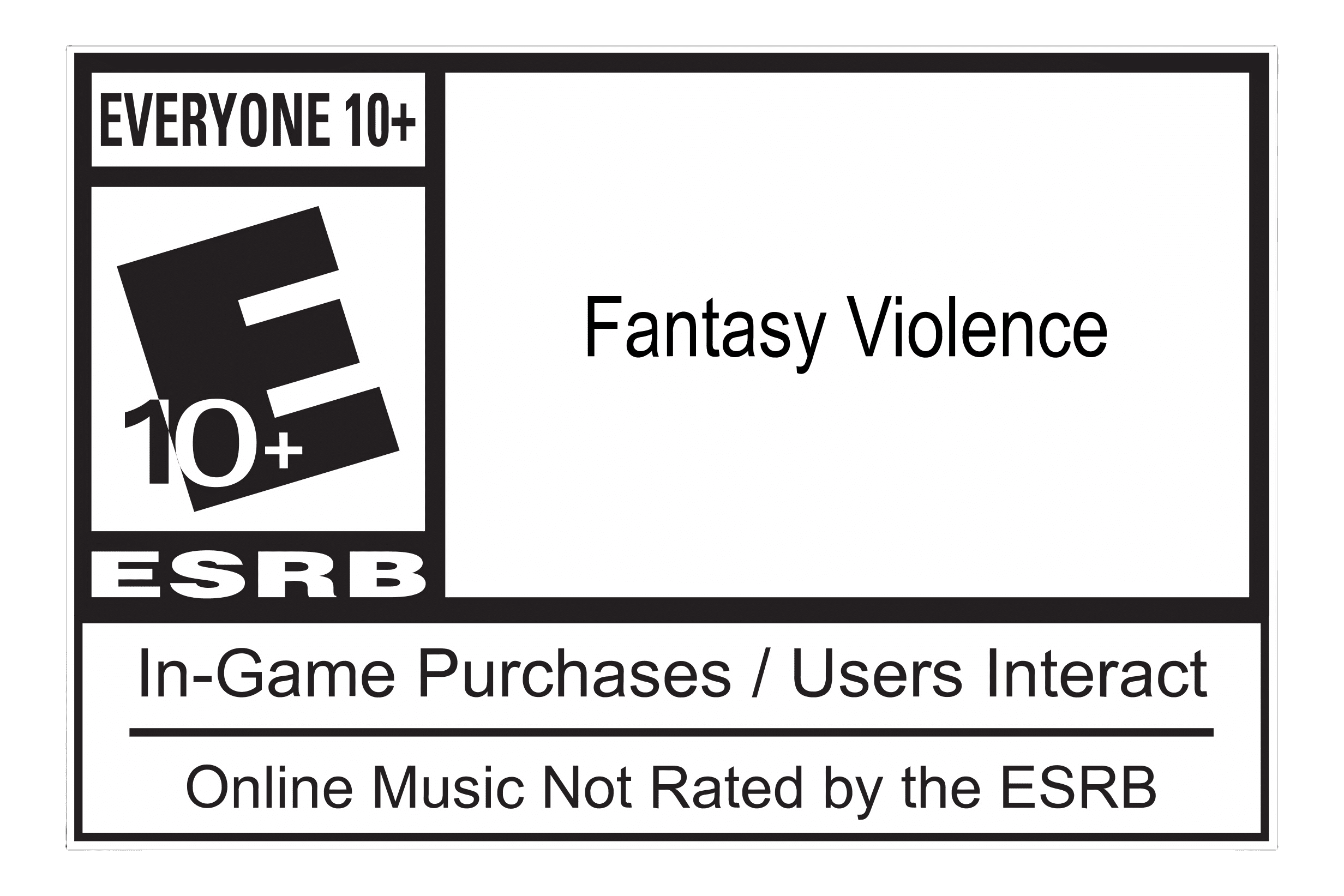
No strict age restrictions apply beyond Minecraft’s own terms of service. Players just need to be old enough to play Minecraft legally. Our community is friendly to all ages, but we do expect mature behavior. View our Parent Guide Here
0What platforms are supported on the server?

We support both Minecraft Java Edition and Bedrock Edition players. With the help of "GeyserMC" and "Floodgate" Players on PC, consoles, and mobile devices can all join and play together, ensuring full crossplay compatibility.
0Is there a whitelist or do I need to apply?
Doge SMP does not have a whitelist. Anyone can join freely at any time. If you want to apply for staff roles, there is a separate application process linked on the homepage.
0What kind of gameplay does Doge SMP offer?
Our server is fully Lifesteal, meaning all gameplay is player-driven. You can build, destroy, raid, and PvP freely within the rules. Eliminating a player will drop (Steal) one of their hearts. Server Rules

Are there rules I need to follow?
Please Read all rules Carefully. (Manipulating or avoiding certain rules will cause them to become more strict.)
0What should I do if I forget the server IP?
No worries! The server IP will always be dogemc.co.za (Same as our Website). Bookmark the website or save it somewhere safe to ensure you can connect easily.
0How often do we update the server?
The server is updated regularly to fix bugs, add features, and ensure compatibility with the latest Minecraft versions. Updates are announced on Discord, and planned maintenance is shown on the server status page.
0How often does the server restart?
Server restarts occur periodically to maintain stability and performance. All scheduled restarts are announced on Discord and the server status page in advance.
0Can I use mods or texture packs on Doge SMP?
Yes, most mods and texture packs are allowed, including full-bright, minimaps, and visual enhancements. Server Rules
0How do I manage my in-game settings for PvP or chat?
Settings like chat visibility, voice proximity, and PvP preferences can be adjusted through your own client settings. This allows you to tailor your in-game experience without affecting others.
0How do I vote for Doge SMP?
Voting helps keep the server popular and running. Links are available on multiple server lists. Enter your Java username, click vote, and your contribution will support server growth.
0Are there any recommended settings for better performance?
For optimal gameplay, reduce render distance if lag occurs, keep background apps closed, and use compatible mods or texture packs that do not strain your system, lastly Remember to allocate more memory than the default 2GB inside the default minecraft launcher.
0"I recommend using a Fabric Client with Sodium installed. Minecraft version 1.16.5 is the most optimized version of minecraft, It may be outdated but our 1.21.8 server fully supports this version" - Server Owner
Discord / Linking / Voice Chat Setup
What is "SimpleProximityChat" ?
SimpleProximityChat allows for ingame Voice Chat. It does require a mod to be installed on your own minecraft client (Java edition only), When going near another player with the same mod installed, you will be able to hear one another. SimpleProximityChat is a lot more realistic than a normal Discord call, voices fade as you create distance with one another, it allows for group chats, as well as echo in caves and much more.
The Discord Brige allows players on JAVA without the mod installed on their client, to still communicate with those that have the mod, by joining one of three discord calls, keep in mind that this requires linking accounts if discord and java usernames are different.
0How do I link my Minecraft account to Discord to use Skoice or SimpleProximityChat Bridge?
If SimpleProximityChat is installed on your Minecraft client, no linking is needed.
If you plan to use SimpleProximityChat inside our Discord server, You simply Type "/dvc start" on Doge SMP, then join the Discord Voice Chat group with one of the 3 bot already on it. SimpleProximityChat Bridge brings Java-only in-game voice chat directly into Discord voice channels with real distance-based effects.
0Is SimpleProximityChat required for Java players?
No, it is optional. SimpleProximityChat enhances immersion by allowing voice chat only with nearby players, But Players can disable it or not download it if they prefer text-only communication.
0Are voice chats monitored by staff?
No. Voice chats are unmonitored. Players are responsible for their own interactions. Please note that inappropriate behavior can still be reported via staff reporting forms (on the bottom of our Homepage if necessary.)
0How do I report problems with Discord integration?
If you experience issues, report them on our Discord support channels. Include your username, platform, and a detailed description of the problem to help staff resolve it quickly.
0Can I mute or block players in voice chat?
Yes. Both Discord and in-game voice systems allow muting or blocking individual players to avoid unwanted communication.
0Can I receive notifications from the server in Discord?
Yes. When joining our discord server you can receive server announcements, updates, and event notifications directly in designated Discord channels. If you wish to not receive updates, you can simply mute the group.
0Gameplay / In-Game Mechanics
Is PvP enabled on the server?
Yes. PvP is allowed everywhere on the SMP. The main Lobby is the only Safe Zone, as combat is fully active throughout the rest of the world.
0Can I grief or destroy other players’ builds?
Yes. Griefing, raiding, and destruction are part of the Lifesteal experience. Just remember that cheating and item duplication remain prohibited. Server Rules
0Are there any safe zones or spawn protection?
Yes, the Main Lobby is the only Safe Zone. The SMP and all of its's areas are exposed to PvP and destruction. Players must remain vigilant at all times.
0Can I create my own shop or economy system?
You can trade directly with other players using negotiation. The server does not provide built-in economy or currency systems.
0Are there any limitations on building size or height?
No, aside from Minecraft’s default build height limit of 256 blocks. The world border extends exactly 10'000 blocks from spawn.
0Can I create traps or defensive mechanisms?
Yes. Traps, redstone mechanisms, and defensive builds are allowed as part of gameplay. Use them creatively!
0How do I become staff on Doge SMP?
Interested players may apply for staff via the Staff Application Form on the bottom of the homepage. All positions are voluntary, unpaid, and subject to activity and maturity requirements, please read our disclaimer page.
0Can I store items safely, and what are the risks?
Hidden bases, underground storage, and secret chests are commonly used. However, griefing and PvP can still result in item loss. Always be cautious. Leaving while in combat will result in a instant death penalty, dropping all your items.
0All server commands
Teleportation
- /l and /lobby will take you to our Main Lobby
- /smp will take you to the SMP Spawn area
- /sethome will set you home's location
- /delhome will delete your home location
- /h , /home , /b , /base will take you to your previously set home location
- /tpa <player> will send a teleport request to the selected player
- /tpadeny
- /tpaaccept
- /tpacansel
General Commands
- /suicide
- /enderchest will view your enderchest
- /msg <player> will send a DM (Direct Message) to selected player
- /silentquit
- /nick will allow you to give yourself a Nickname
- /realname
- /afk sets your status as afk in the TAB list
(More commands are soon to come)
0Have a question?
Feel free to ask one of our staff members via email, in-game or on Discord :